
Light, with shape.
Warm halation and source-colored bloom, with separate controls for each.
Two tools. One finishing workflow.
Film-inspired finishing. Local video restoration.
Two tools for the footage you care about.
In development · by b2studio

Interface concept for the website. Images shown inside are real development renders; the shipping interface may differ.
01 / The finishing tool
 by b2studio
Shape highlight glow, grain, and print-inspired contrast. An original film engine in development for Adobe Premiere Pro.
Premiere Pro effect · In development
Actual Film Engine renders on an already graded frame. Presets add processing; they do not reproduce a measured film stock. sRGB interpretation assumed. Source & credits ↗
Warm halation and source-colored bloom, with separate controls for each.
Procedural grain with independent amount, size, and chroma controls.
Shape contrast and highlights. Start subtly, then make the image your own.
Under the hood
Halation, bloom, grain and print contrast, modeled from the optics up. Shown at actual pixels, where texture either convinces or does not.
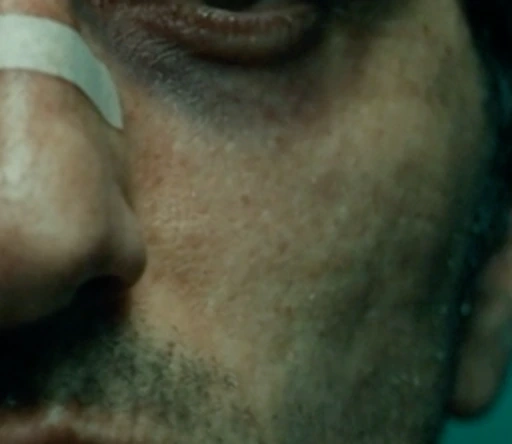
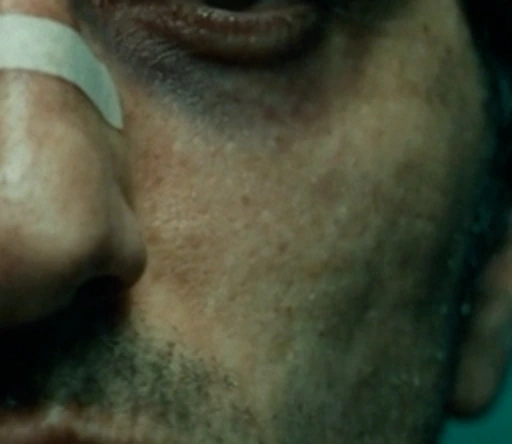
Generated, never laid over the top. Amount, size and chroma move independently, and every frame keeps the grain it was given — so it holds still when you scrub instead of crawling across the picture.
Engine output on supplied footage at actual pixels. The looks are original creative models — not measured reproductions of any named film stock, and no parity with any commercial product is claimed.
02 / The cleanup tool

 by b2studio
Reduce noise and upscale footage on your Apple Silicon Mac. Keep control of the detail, then take the result back into your edit.
Standalone macOS app · Apple Silicon
Controlled still-image test: a 1920 × 800 source was intentionally reduced to 768 × 320, then enlarged. Compare bicubic resizing with actual Clearframe neural output at 25% denoise and 35% detail. This is not a motion-quality test. Source & credits ↗
Scrub to any moment and drag the divider between source and processed. The frame you inspect is the frame the export writes.
Denoise, Detail, and Sharpness adjust separately, so cleanup and reconstruction stay under your control.
Resize toward UHD preserving aspect ratio and the original frame rate, then export ProRes 422 LT, H.264, or HEVC.
Inside the app
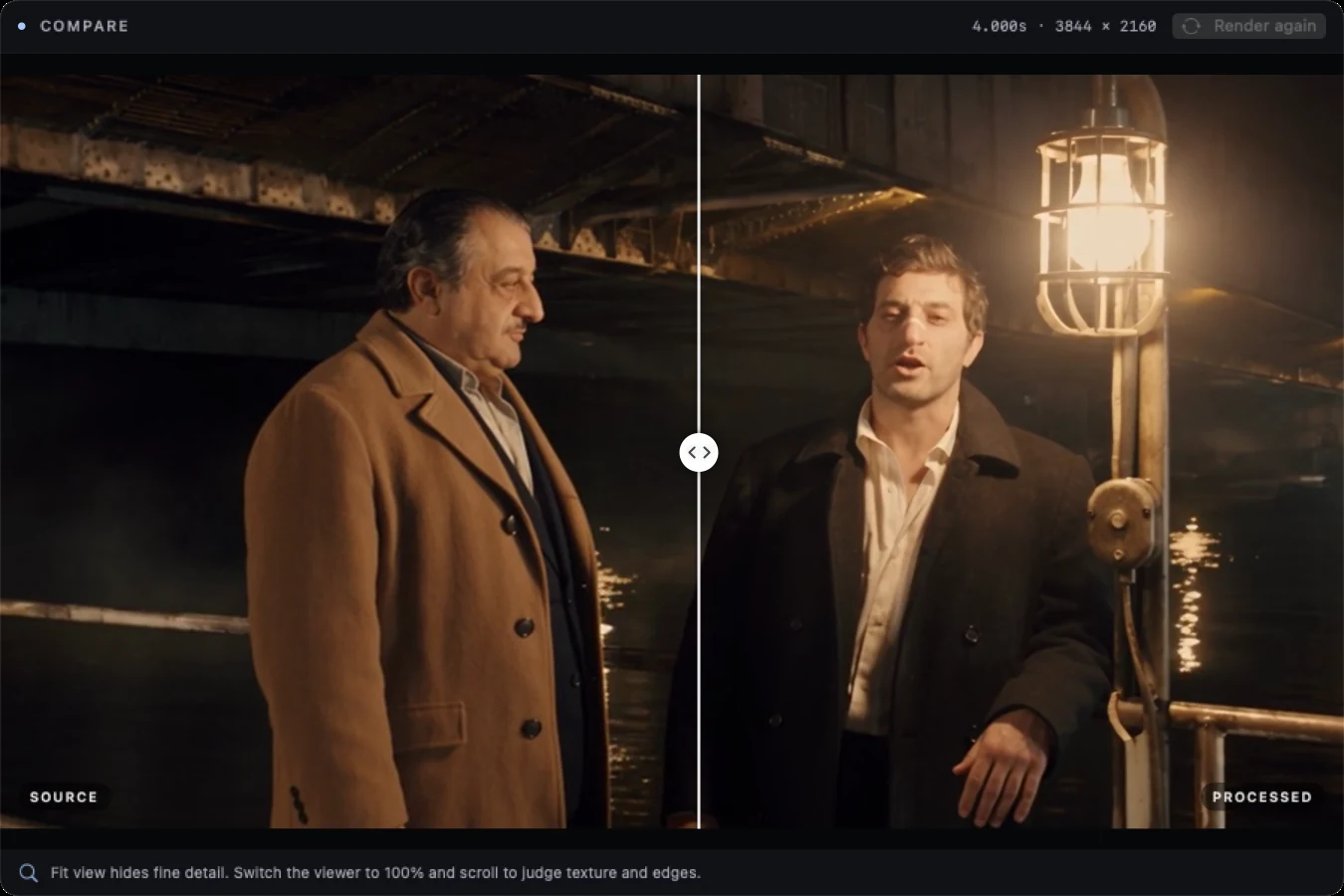
Scrub to any moment and drag the divider. The processed half comes from the same code path as the export, so what you are looking at is what the file will contain.
Clearframe on Apple Silicon. No public installer yet.
Under the hood
Every frame is engine output on real footage. Look closely.
Motion is where reconstruction falls apart. Four settings, two seconds, actual pixels — running at once so you can watch the texture hold instead of taking our word for it.


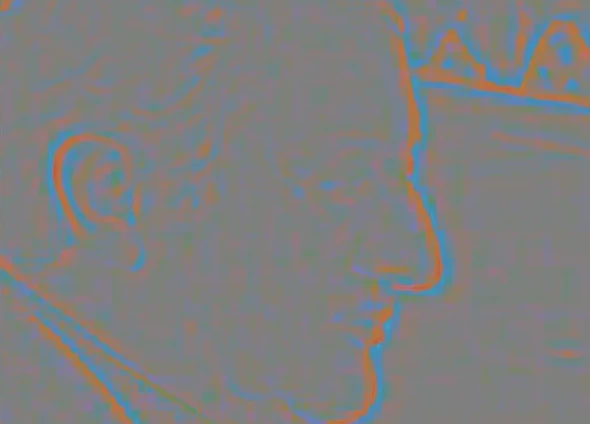
Amplify the difference twelve times and the restraint becomes visible: color edges snap into alignment while flat skin is left exactly as it was shot.
Engine output on supplied footage, interpreted as Rec.709. Reconstruction is per-frame, and the model infers detail rather than recovering what the camera never recorded. Internal processing is 8-bit SDR. No comparison to any commercial product is implied.
The workflow
Start in Clearframe when footage needs noise reduction or a larger frame. Preview first, then export.
Work with the exported media in your editor. Keep your source files alongside the new versions.
Film Engine’s planned Premiere effect will bring its grain, glow, and print controls into the finishing pass.
Availability
Both tools are in active development. Installers and release notes will appear here when the first public builds are ready.
by b2studioFilm-inspired finishing
Premiere Pro integration in development.
Film Engine is a working product name.
by b2studioStandalone macOS application
Apple Silicon development build.
Public packaging and validation in progress.
Film Engine is being developed as a Premiere Pro effect; native integration and playback/export validation are still pending. Clearframe currently runs as a separate Mac app and exports media for your editing workflow.
The current development build focuses on progressive SDR video. It preserves aspect ratio and constant source frame rate. HDR, camera RAW, log, and interlaced workflows are not supported in this version. Internal processing is 8-bit SDR, even when exporting a 10-bit ProRes file.
Not yet. The local prototypes are being tested before they become distributable installers. Release dates, pricing, and Windows availability have not been announced.